

Document elements
Documents in AXIO are built in a similar way. There are differences between Content Types Page, Post or Team, but conceptually they are built in the same way.
Metadata
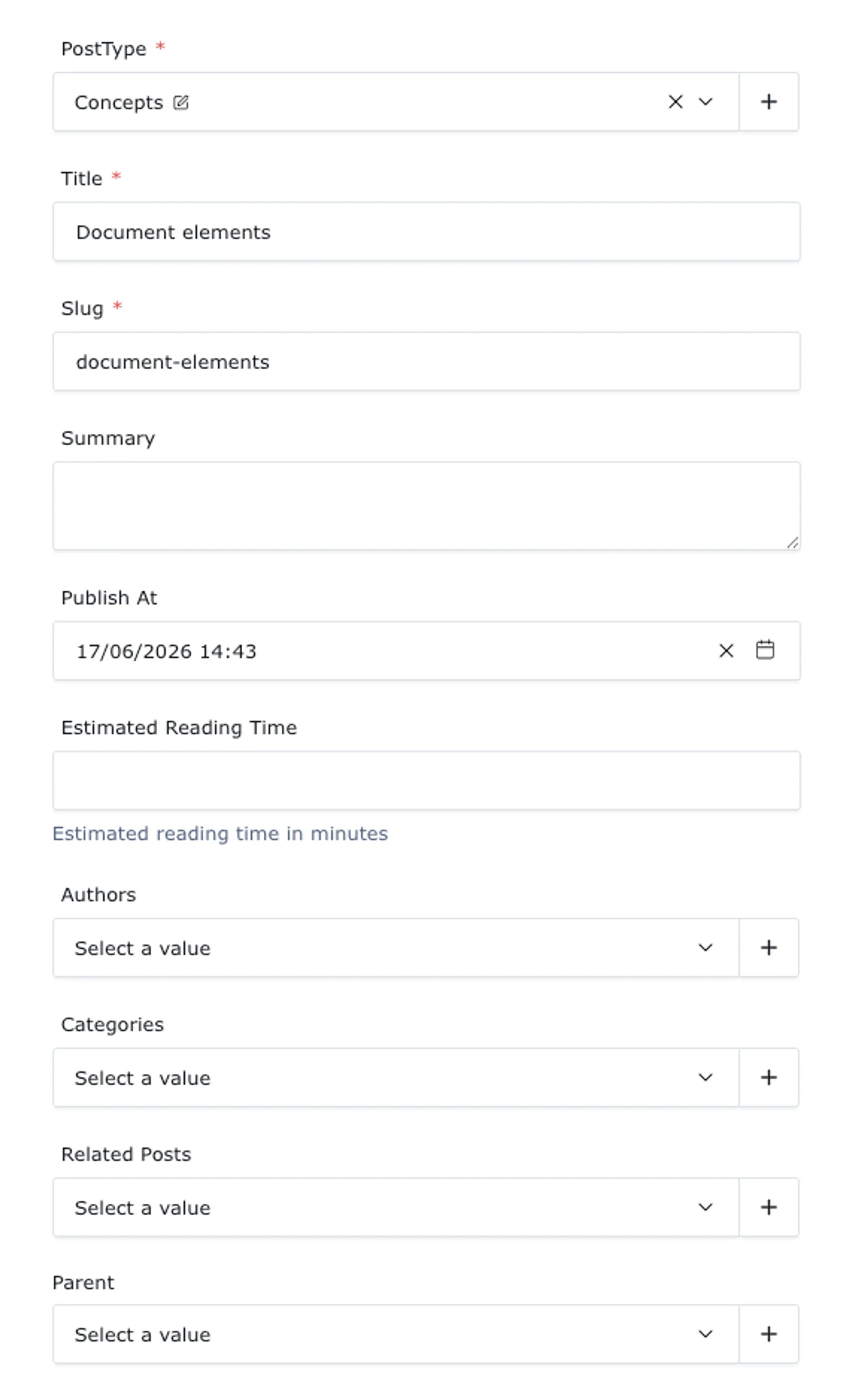
All documents have some meta data, like a document title and a so called slug. The title is used to find this document in the admin panel and the slug is used to construct the internet address or URL that this document can be found at in the website. Other meta data vary per Content Type. Metdata is grouped in a seperate panel when the document is opened in the admin panel. On a desktop screen, this is displayed on the right side. For this post it looks like this for instance
Tabs
The page has several sections that can be managed in the admin panel. These sections are grouped in tabs at the top of the document window.
Hero
The hero contains the elements that will be displayed at the top the page in the website, directly under the page header*. You can think of the hero as the cover of your page. It contains an optional image or video and overlay text.
*The header is the bar on a page that contains things like the navigation elements, searchbar and your logo. This is managed centrally in the settings of your website. You don't have to add it to every page. Similarly every page will have a footer.
Body
The body of you document contains the elements between the header and the footer in the page on the website. It is built with blocks of various types that allow you to add text, media, tables and more.
Submenu
Pages can have an optional submenu. This will be displayed next to the Body. you can choose a submenu from you submenus collection. Posts can have an auto generated submenu. This is defined in the Post Type in your Post Types collection. Both types of submenu are displayed with identical styling underneath each other. If the chosen Post Type does not auto generate a submenu and no submenu is chosen in the page, no submenu will be shown on the web page of course.
SEO
The SEO tab of your document contains data for search engines. If you want your page to be found, you can fill in and optimize the fields here. AXIO uses the fields in this tab to tell search engines about the page. Many fields can be auto generated from other fields in your document if they are empty. Fro there, you can optimise their contents.